
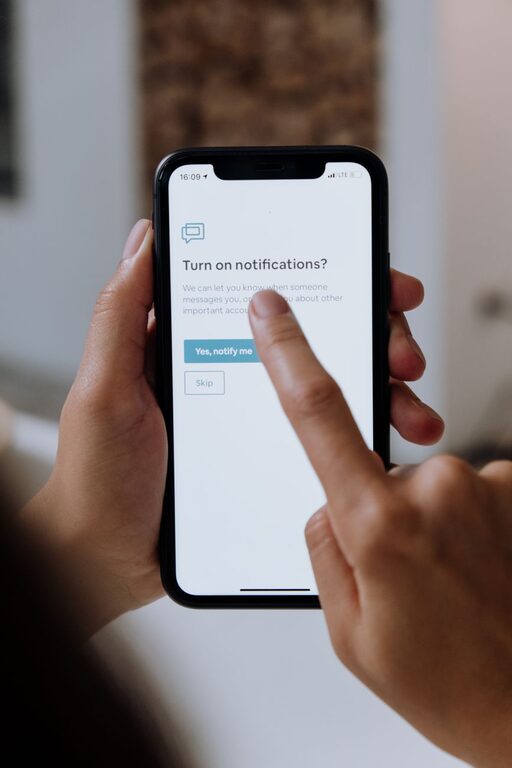
In today’s fast-paced digital world, notifications can be both helpful and distracting. They keep us informed but can also interrupt our flow, reduce productivity, and increase stress. Setting boundaries with notifications is a crucial step toward regaining control over your time and attention. This guide will provide straightforward tips to help you manage your notifications effectively and create a more focused daily routine.
Why Setting Boundaries with Notifications Matters
Notifications come from various sources—social media apps, emails, messaging platforms, news alerts, and more. Without control, they can pull your attention away from important tasks or relaxing moments.
Some benefits of setting notification boundaries include:
– Improved focus during work or creative activities
– Reduced stress from constant interruptions
– Better time management without frequent distractions
– Enhanced quality of downtime free from digital noise
Assess Your Current Notification Setting
Before changing anything, spend a day or two observing how many notifications you receive and from which apps. Ask yourself:
– Which notifications are urgent and require immediate attention?
– Which can wait or be checked later without consequence?
– Are there notifications that you never respond to or find unnecessary?
This assessment will serve as a foundation for deciding what to keep and what to change.
Steps to Set Healthy Notification Boundaries
1. Customize Notification Preferences on Devices
Most smartphones, tablets, and computers allow you to customize notifications for each app. Consider:
– Turning off non-essential app notifications. For example, social media likes or promotional alerts might not need immediate attention.
– Enabling silent or “Do Not Disturb” modes during focused work hours or personal time.
– Using settings to allow critical alerts only, such as calls or messages from close family.
2. Use “Do Not Disturb” and Focus Modes
Modern devices often include built-in focus modes that automatically limit notifications at set times:
– Schedule “Do Not Disturb” hours, especially during work, study, or sleep.
– Customize focus modes to allow only certain contacts or apps to send notifications.
– Use these modes consistently to create habits and protect your mental space.
3. Group Notifications or Use Notification Summaries
To avoid constant interruptions, some platforms offer notification summaries or batching:
– Receive notifications in bundles at specific times.
– Review multiple alerts at once, preventing constant checking.
– This approach helps reduce the feeling of being overwhelmed.
4. Manage Email Notifications Wisely
Email is often a major source of notifications and can become a distraction:
– Set email apps to notify you only for important messages or from certain contacts.
– Consider checking email manually at scheduled intervals instead of real-time alerts.
– Use filters and folders to organize emails, so only priority messages trigger notifications.
5. Communicate Your Preferences to Others
Let friends, family, and coworkers know about your notification boundaries:
– Inform them when you won’t be immediately available or responsive.
– Encourage using urgent communication methods for truly important matters.
– Setting expectations can reduce pressure to respond instantly.
Additional Tips for Notification Management
Keep Your Home Screen Organized
Limit the number of apps on your home screen to reduce visual distractions. Consider moving less important apps to folders or secondary screens.
Review and Declutter Apps Regularly
Uninstall apps you no longer use, or adjust their notification settings. Fewer apps mean fewer alerts.
Use Visual and Audio Cues Wisely
Choose subtle notification sounds or vibrations to avoid creating stressful or distracting alerts.
Take Digital Breaks
Set aside time each day to disconnect from devices completely. Use this time to recharge without any notification interruptions.
Conclusion
Notifications serve an important role in keeping us connected and informed, but without boundaries, they can become overwhelming. By assessing your current notification habits and implementing these practical tips, you can regain control over your attention and create a healthier balance between digital life and personal focus. Start small, stay consistent, and enjoy the benefits of a more mindful and less interrupted day.
About the Author